WebRTC
online lesson system

What is Saver Remote Live?
What Saver Remote Live Online Lessons is
An online tool that connects a teacher and students in different places so that remote lessons or an online school can be run.
Built on WebRTC, it lets teacher and student communicate both ways in real time through video, audio, text and stamps, so teaching stays effective however far apart they are.
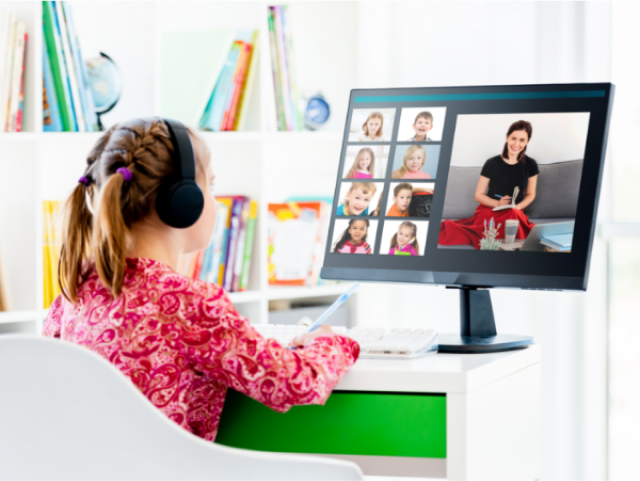
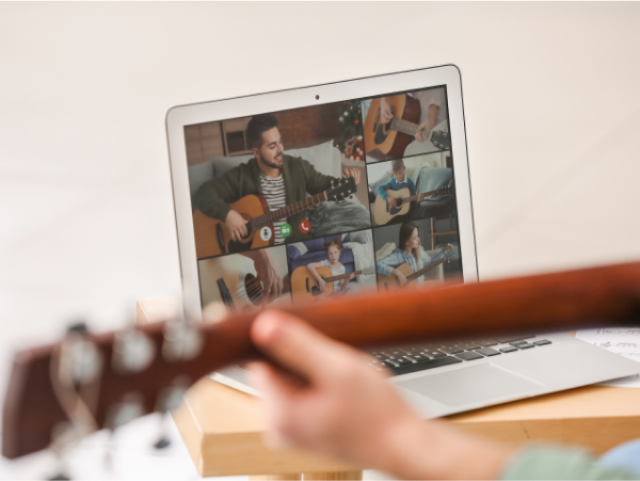
Built specifically for online lessons
Built specifically for online lessons, with only the features that are needed. A simple, easy-to-use tool: clear to look at, with nothing superfluous.
Management features that keep a school running efficiently
As lessons and students multiply and the school grows, the management features stay convenient and easy to use, so it keeps running efficiently.
A straightforward licence fee
There is no need to build a system of your own. A system made specifically for online lessons, on a monthly licence priced to the size of your lessons.
Easy for anyone, in a web browser
No special app and no installation. It runs in an ordinary web browser, so it is easy even for someone not used to computers.
A good fit when you want to:
- Go online and attract students from across the country.
- Add courses and grow the school.
- Bring in excellent teachers from anywhere and offer lessons worth paying for.
- Find free tools cluttered with features you do not need.
- Stream from several angles at once - close on the hands, overhead, front, side.
- Teach movement and posture in a way that is clear to see.
- Handle lesson schedules and student records more efficiently.

Basic Functions
Main features
| Interface | A web-browser interface, usable from a PC, tablet or smartphone. |
|---|---|
| Video and audio | WebRTC carries high-quality video and audio both ways in real time. |
| Screen sharing | The teacher can share their own screen with every student. |
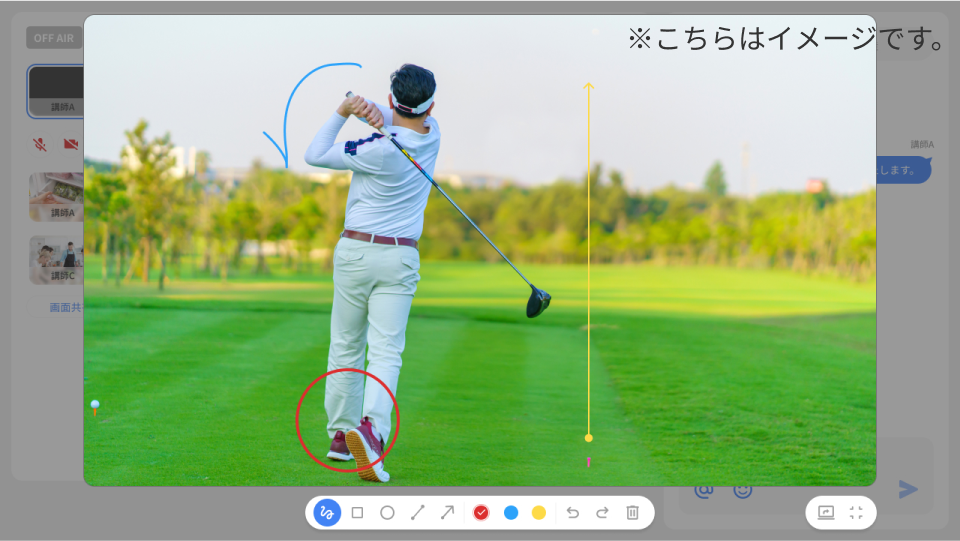
| Annotation | The teacher can annotate the shared video with shapes, text and freehand marks. |
| Text chat | Messages can be exchanged in text chat. |
| Raise hand | Lets a student signal that they want to speak or ask a question. |
| Stamps | Students can send a reaction as a stamp. |
| Recording | A student can be recorded and the recording shared on screen to teach from. |
| Multi-angle streaming | Switch between three angles - the teacher from the front, from overhead, and close on the hands. |
| Several teachers | More than one host can be set, and the main host can change mid-lesson. |
| Student device control | Mute and unmute the camera and microphone on a student’s device. |
| Mirror the stream | Flip the outgoing video left to right. |
| Virtual background | Blur your own background. |
| Cancellation | Toggle noise cancellation and echo cancellation. |
| Remove a participant | A student can be removed from the lesson. |
| Stream resolution | The teacher or an administrator can set the resolution of the outgoing video. |
| Portal | Each student has their own portal for choosing lessons and checking the schedule. |
| Scheduling | Set the date and time of a lesson and register the teacher and participants. |
Use Image
How it is used
We support taking all kinds of lessons online: cookery classes, golf lessons, fitness such as yoga and pilates, traditional arts such as rakugo and Japanese dance, sign language classes, frailty prevention, school club coaching, and group or one-to-one lessons.
Annotation makes teaching clear to see
In a golf lesson, for instance, a student's swing can be recorded and annotated on the footage. Elbow angle, wrist position, hip rotation - things words alone struggle with can be shown.
Several teachers, connected remotely
Where a guest teacher joins the regular one, for example, two teachers can run the lesson remotely, swapping roles as they go. Teachers are not tied to a place either, so excellent ones can be invited from anywhere.

Multi-angle streaming shows more
In a cookery class, for instance, you can switch between angles: close on the hands, overhead, and the teacher from the front. The switching is done from the teacher’s own screen, which keeps the lesson moving.

Plans & Prices
Plans and prices
Pricing is a monthly licence set by the total number of people in a single lesson (that is, the number of IDs).
- Contracts run from three months.
An annual contract gets a discount of two months free.
The setup fee is 33,000 yen per licence.
*All prices shown include tax.
How it differs from other services
Free video conferencing tools such as Zoom and Google Meet are convenient for getting remote lessons started. Running a school in earnest, though, tends to run into a few difficulties.
Other services
- Zoom requires an application to be installed.
- Google Meet requires a Google account.
- So many features that the screen gets complicated, and some of them are not needed.
For someone not used to computers in particular, that is enough to make them hesitate. To grow student numbers, a tool anyone can use easily matters.
Given a tool that is easy to use, more people will feel able to join in online learning.
Other services
- A time limit per session, so a long lesson is not possible.
Where lessons need to run long, or where the hours students can attend are narrow, a time limit gets in the way of the schedule. To build a schedule freely, a tool without that constraint matters.
It has a large effect on running an online school and on how efficient the lessons are.
Other services
- Lesson schedules are hard to manage.
- Tying teacher and student records to lessons is a chore.
As lessons and the school grow, the administrative work of setting, managing and adjusting schedules grows with them. Solving that calls for a tool made for the purpose rather than a general-purpose one.
With the right tool, running the school becomes both more efficient and smoother.
If free tools such as Zoom and Google Meet are leaving you wanting more, do consider it.
FAQ
Frequently asked questions
- Is there a limit on how long a lesson can run?
There is no limit. Use it for as long as you like.
- A lesson takes at most 5 students, but my cookery school has 30 students in total. Do I need a licence for 30?
With at most 5 students and one teacher, the licence is for 6 people, that is 6 IDs. An ID is a seat rather than a named person, so a different set of up to 5 students can attend each time.
- Can two lessons run at the same time?
One licence cannot run more than one lesson at a time. Two lessons at the same time need two licences.
- Can I try it first?
A free trial is available while you are considering it. Apply for the free trial through Contact us.
A proven, dependable WebRTC system
Saver Remote Live Online Lessons makes two-way video communication possible in real time by using Saver Video Connect, our own WebRTC low-latency video transmission system.
Since its release in 2014, Saver Video Connect has built a deep record across many fields - education, entertainment, remote piloting, remote monitoring, remote consultation, call centre systems, IP intercoms - as a WebRTC system developed in house in Japan.
SaverVideoConnectV4
About the on-premise edition
We can provide a WebRTC system of your own, sized to your needs and to the system. Requests of many kinds can be met: automatic speech-to-text, viewing by a third party, large-scale WebRTC streaming (SFU) and more.
Contact us