


Online English conversation system
Client: a major English conversation school
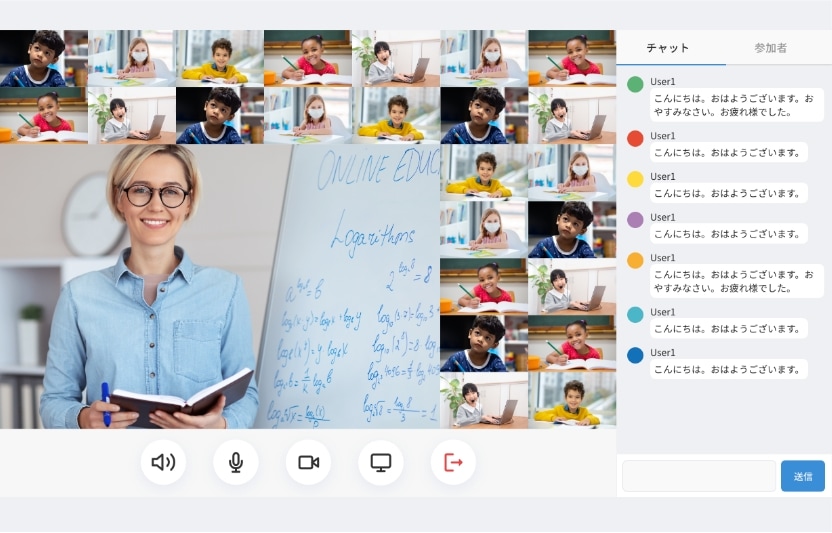
The first online English conversation system in Japan to use WebRTC.

Main features
- Video chat (P2P)
- Text chat
- Slide sharing
- Schedule management
- Choosing who to connect to
- Booking confirmation
- Customer management
- Log management
- Handing out homework and tracking progress
- Parents can see their child’s marks and progress
- Whiteboard
- Payment
Strong points
01
The first system in Japan to apply WebRTC commercially
02
Better received than rival products on features, performance and stability
03
Attendance and shift management for teachers logging in from abroad
04
Lesson booking management for students
05
A content management system for the digital teaching material (asset management) was built alongside it
06
Works with a range of payment methods: card, bank transfer, direct debit and carrier billing
07
Built for scale, so several hundred teachers can hold lessons at any time
Remote class system
Client: a major e-learning provider
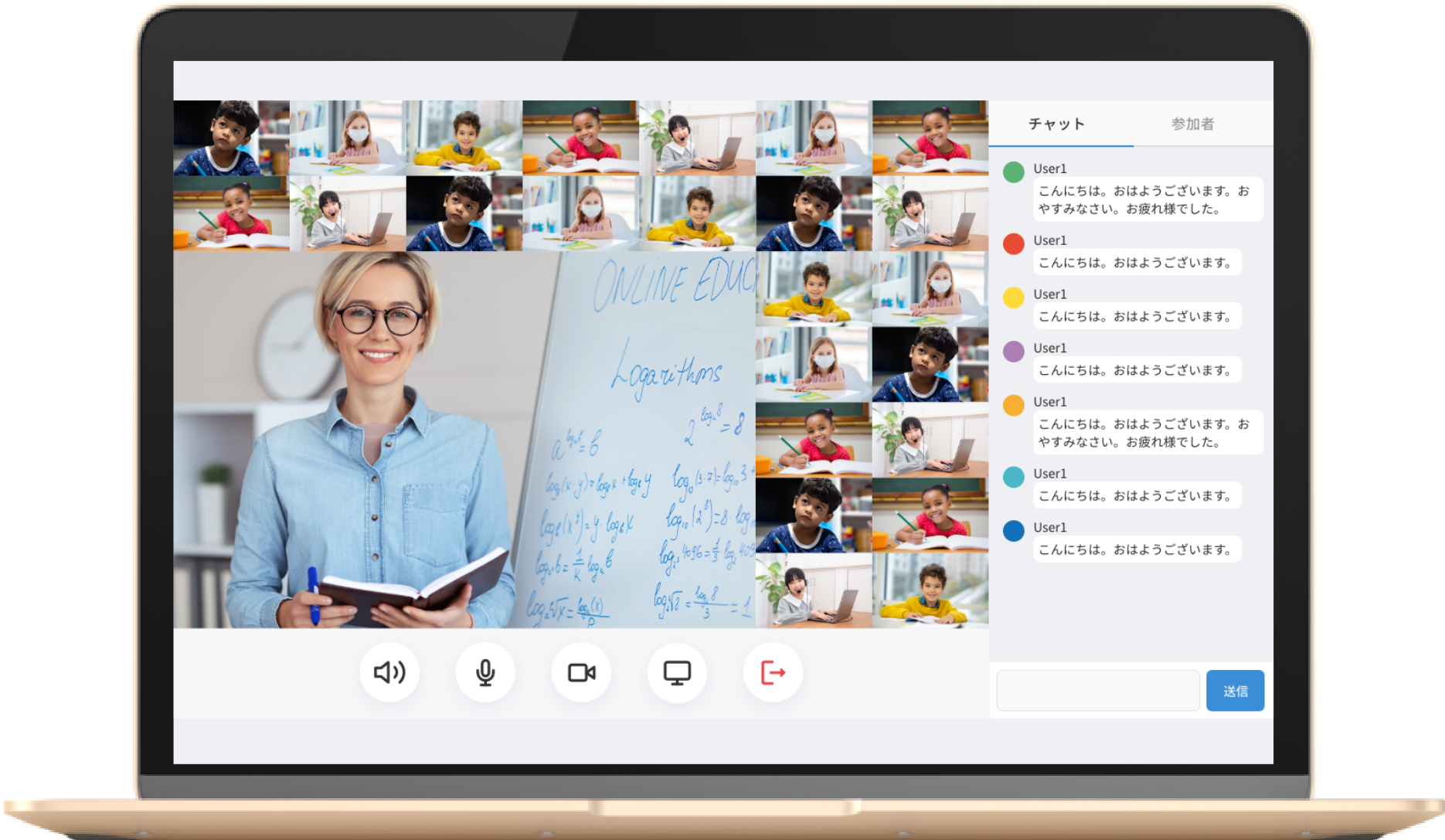
A system for holding classes online around the clock, every day of the year.
Main features
- Streaming video and audio to many people
- Text chat
- Screen sharing
- Attendance checking
- Log management
- Whiteboard
- Breakout rooms
- Audio and video recording
- A resource room for textbooks, handouts and the like
- Polls
Strong points
01
A system for teaching remotely to a large class, up to 50 students
02
Works in a web browser, as a native mobile app and as a native Windows app
03
One client plays 25 video feeds at once (25 streams rendered on the client)
04
Whiteboard, breakout rooms, screen sharing and background compositing are all supported
05
Participants can be recorded, converted to a watchable format in real time
06
A class can be recorded as it happens
System configuration
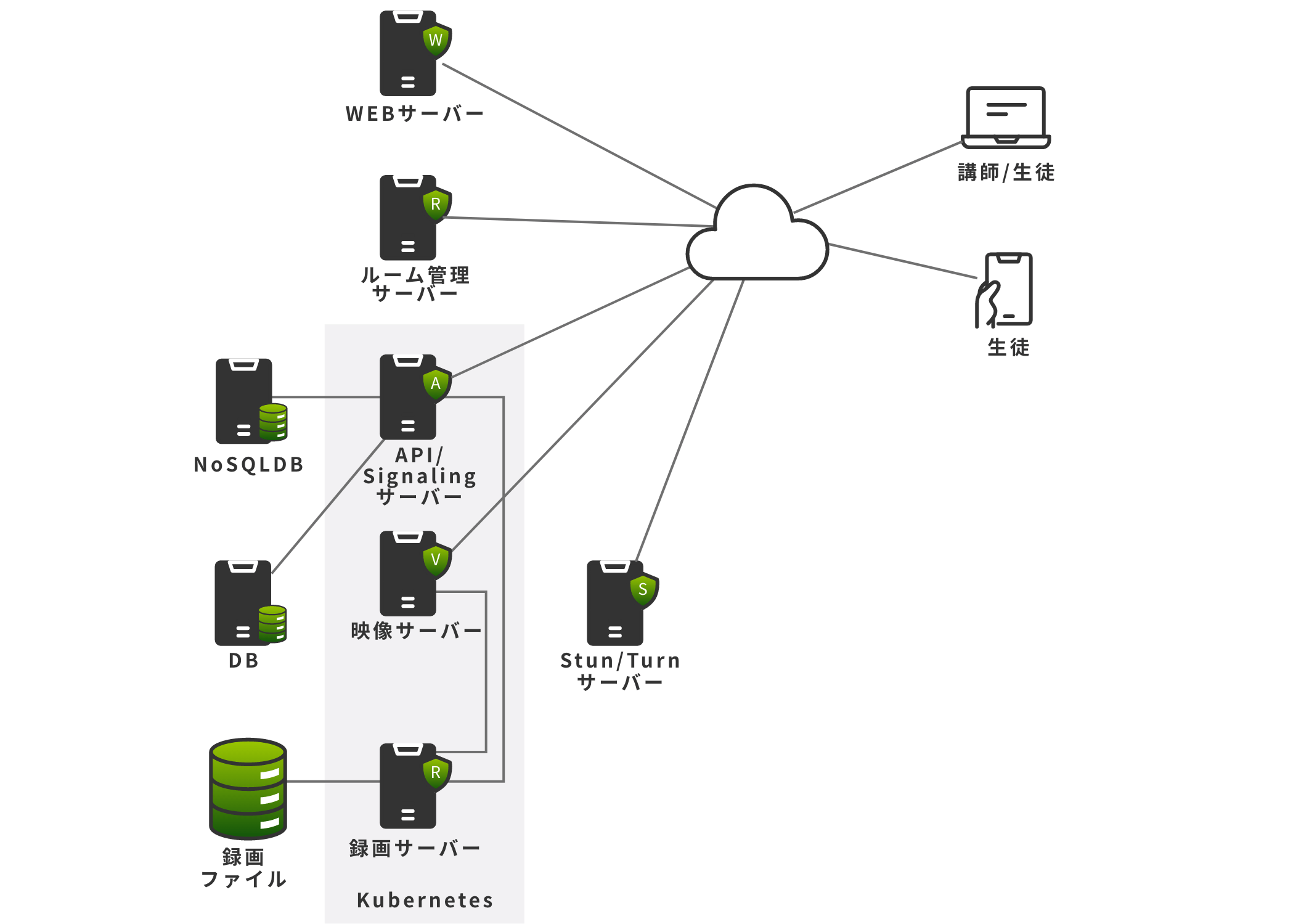
Video conferencing system
Client: a major events company
An ordinary video conferencing system with features added for interpreters and for webinars.
It is multi-tenant as well.

Main features
- Video chat screen
- Voice call screen
- Text sharing screen
- File sharing
- Matching people to a virtual meeting room
- Log capture
- Whiteboard screen
- Sound playback
- Video and audio recording
- Webinars
- Listening to the interpreter
Strong points
01
An ordinary video chat system with features added for interpreters and for webinars
02
The video chat can be recorded
03
The video chat can be sent on to a streaming service such as YouTube
04
Multi-tenant
05
For webinars there is a preparation mode for the organisers and a debrief mode
06
The host can spotlight a chosen feed and send it to the participants
07
The original audio and the interpreter can be mixed with ducking
08
Up to 300 people can join one meeting
09
Payment for a subscription contract is built in
System configuration
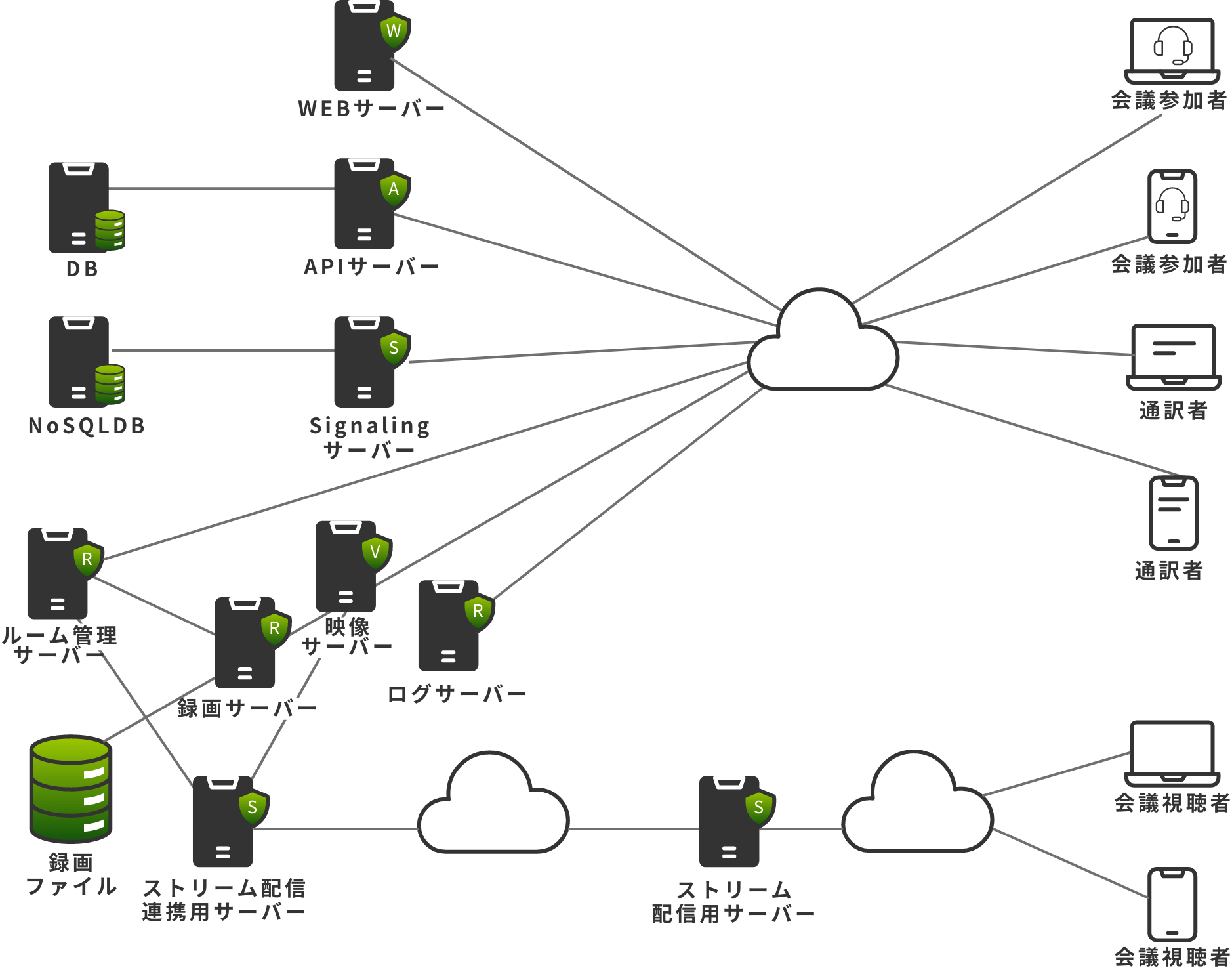
High school term test smartphone app
Client: a major printing company
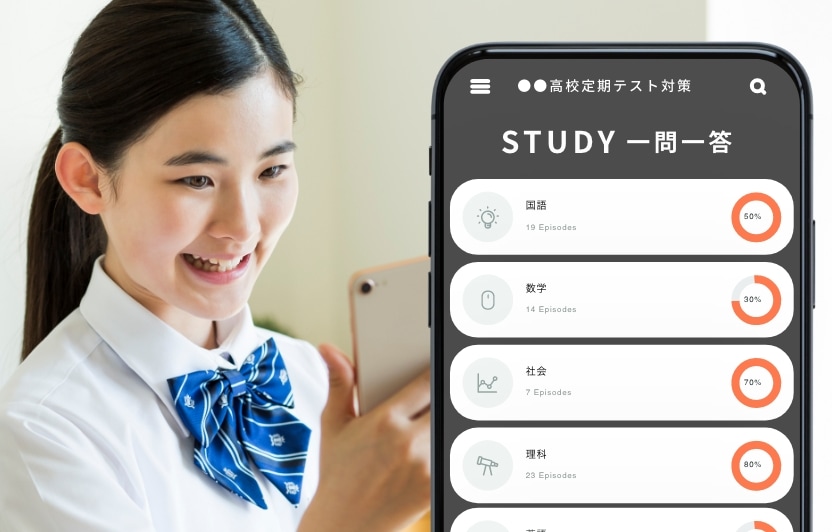
An e-learning app for high school term tests.
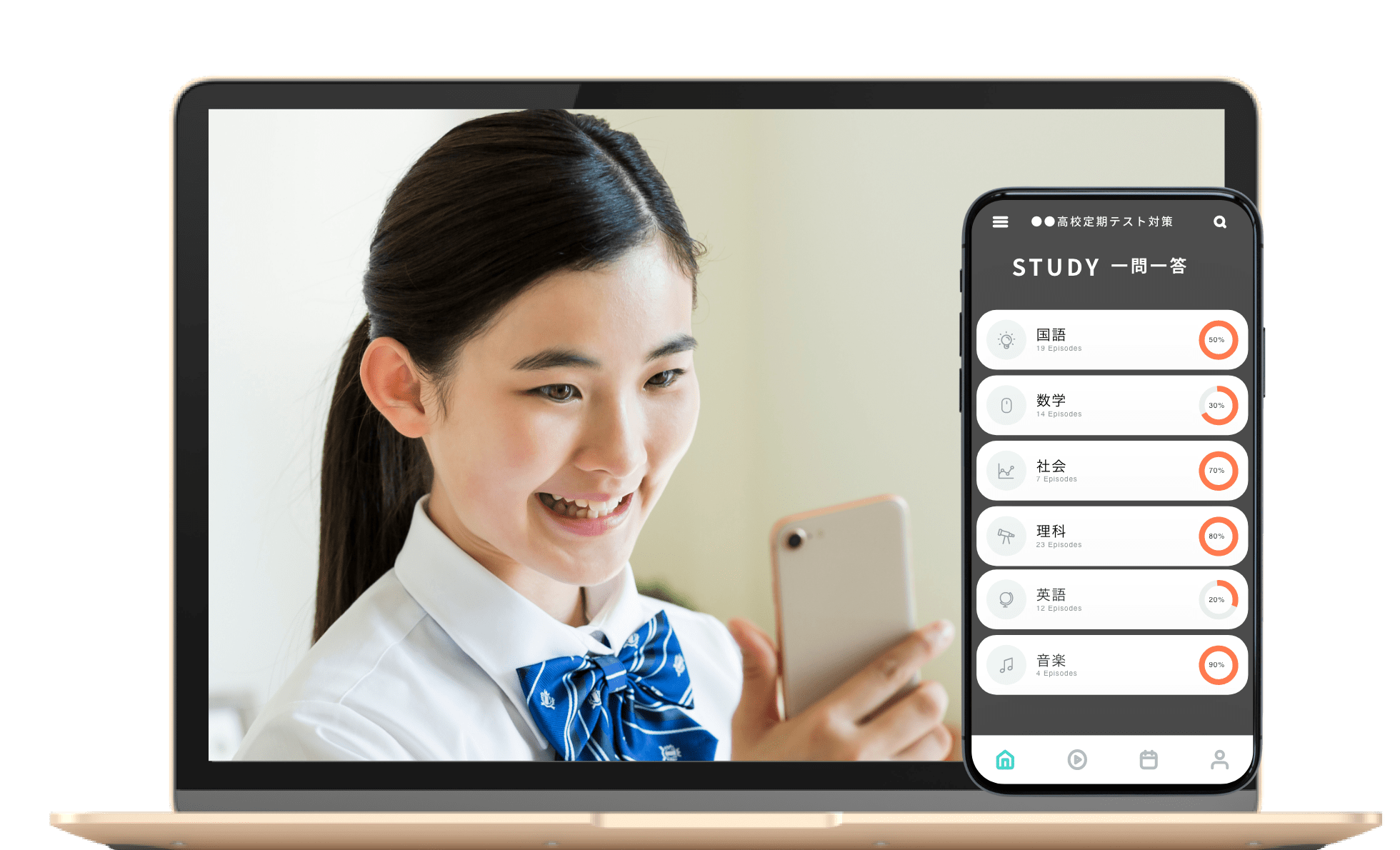
Main features
- One-question-at-a-time quizzes
- Study schedule management
Strong points
01
A free study app for high school term tests, one question at a time
02
Designed to be simple to use, so studying stays as casual as an app should be
03
Term tests follow what the school is teaching, and study can be done as a quiz
04
Schedule management builds a daily study list running up to the exam
05
No advertising while a question is on screen, so concentration is not broken
06
Far more subjects and questions, enough to prepare for the exam properly